Table of Contents
Exam Resizer: Your Ultimate Tool for Exam or Online Form Document Preparation
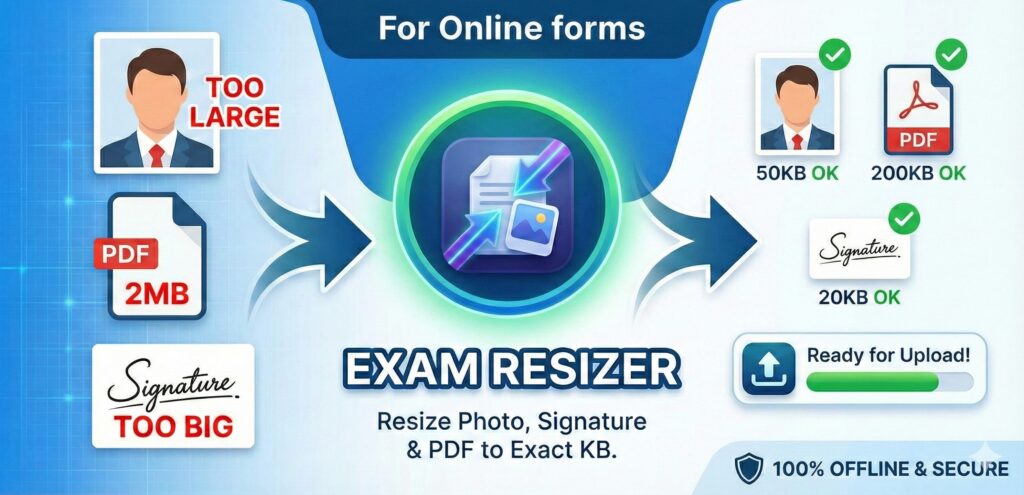
Are you tired of struggling with file size requirements when filling out government exam forms? Does your perfectly good passport photo keep getting rejected because it’s 52KB instead of the required 50KB? Say goodbye to those frustrations with Exam Resizer – the smart, privacy-first image and PDF compression tool designed specifically for Indian exam applicants.
📥 Download Now
If you want to skip reading, download the app now. We’re constantly improving Exam Resizer. So, we are launching it in Early Access. If you want to download this app.
You need to first join the Google Group for Early access.
- You need to first join the Google Group for Early access – Go to Google Group Link and click on Joining the group link on the page.
- After joining the Group, Open the app link for play Store here : Download Exam Resizer app
The Problem We Solve
Every year, millions of students and job seekers in India apply for government exams like SSC, UPSC, IBPS, Railway Recruitment, GATE, JEE, and NEET. Each of these exams has strict requirements for uploaded documents:
- Photos: Must be exactly 200×230 pixels and under 50KB
- Signatures: Must be 140×60 pixels and under 20KB
- PDFs: Mark sheets and certificates must be under 200KB or 500KB
Getting these requirements exactly right is frustrating. Most image editors either:
- Don’t let you specify exact file sizes
- Compress too aggressively, ruining image quality
- Require technical knowledge to use effectively
Exam Resizer app solves all of these problems with intelligent, automated compression that preserves quality while meeting exact requirements.
🌟 Key Features
1. Smart Image Compression with Intelligent Scaling
Exam Resizer uses an advanced compression algorithm that automatically finds the perfect balance between file size and quality.
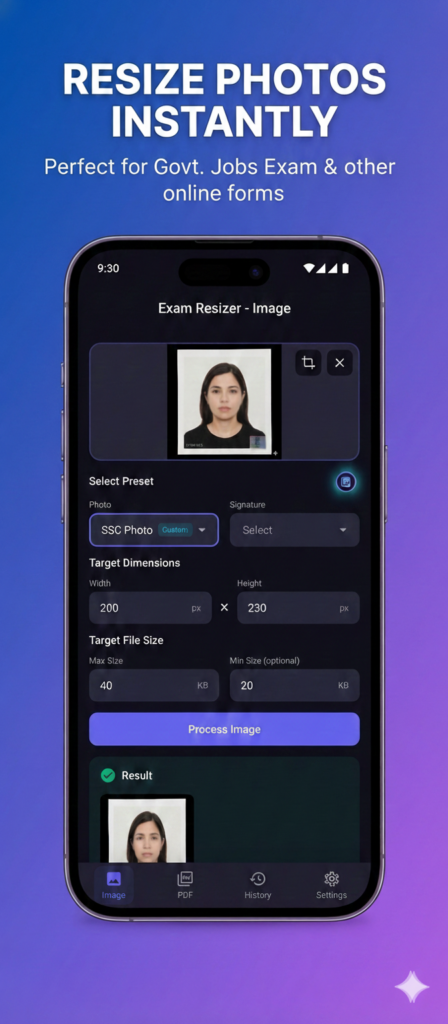
How It Works:
- Specify Target Size Only: Just enter your target file size (e.g., 50KB) – no need to fiddle with dimensions
- Automatic Aspect Ratio Preservation: The app intelligently scales your image down while maintaining its aspect ratio
- Quality-First Approach: Starts with the highest quality compression and only reduces quality if needed
- Multiple Format Support: Tries JPEG at various quality levels, then falls back to WebP if needed
The app automatically tries various smart compression and resizing profile until it finds one that meets your target size while preserving the best possible quality.
Traditional Mode:
You can also specify exact dimensions (width × height) if you need precise pixel dimensions for your exam form.
2. Built-in Exam Presets
No need to look up requirements for each exam – we’ve done the research for you! Exam Resizer comes with pre-configured presets for popular exams:
Photo Presets:
- SSC Photo: 200×230 px, 20-50 KB
- UPSC Photo: 137×177 px, 10-40 KB
- IBPS/Bank Photo: 200×230 px, 20-50 KB
- Railway Photo: 140×160 px, 10-50 KB
- NTA/JEE/NEET Photo: 100×120 px, 10-50 KB
Signature Presets:
- SSC Signature: 140×60 px, 4-20 KB
- UPSC Signature: 177×67 px, 10-40 KB
- IBPS/Bank Signature: 140×60 px, 10-20 KB
- NTA/JEE/NEET Signature: 140×60 px, 4-30 KB
PDF Presets:
- PDF (Max 100KB)
- PDF (Max 200KB)
- PDF (Max 500KB)
- PDF (Max 1MB)
Just select your exam from the dropdown, and all the settings are automatically filled in!
3. Professional Image Cropping
Before compression, you can crop your image to focus on the important parts:
- Interactive Crop Tool: Drag and resize the crop area with your finger
- Aspect Ratio Lock: Maintains the correct proportions for exam requirements
- Preview Before Processing: See exactly what will be compressed
- Skip Option: Use the full image if cropping isn’t needed
Perfect for:
- Removing unwanted backgrounds from passport photos
- Isolating your signature from a scanned document
- Adjusting framing to meet exam specifications
4. PDF Compression
Not just for images! Exam Resizer app can also compress large PDF files:
- Multi-page Support: Compress entire documents with multiple pages
- Quality Preservation: Uses stepped compression to maintain readability
- Flexible Targets: Compress to 100KB, 200KB, 500KB, or 1MB
5. Complete History Tracking
Never lose track of your processed files:
- Automatic Saving: Every processed file is saved to history
- Original + Processed: Both versions are preserved so you don’t need to look for your essential documents in gallery or your phone.
- Detailed Metadata: See original size, processed size, dimensions, and compression profile used
- Quick Access: Tap any history item to view, share, or save to gallery
- Persistent Storage: History survives app restarts
6. 100% Privacy-First & Offline
Your documents are sensitive. We take privacy seriously:
- ✅ All Processing Happens Locally: Images and PDFs never leave your device
- ✅ No Internet Required: Works completely offline
- ✅ No Cloud Upload: Your data stays on your phone
- ✅ No Tracking: We don’t collect any user data
- ✅ No Ads: Clean, distraction-free experience
7. Modern, Beautiful Interface
Built with Material Design 3, Exam Resizer features:
- Dark Mode: Easy on the eyes, especially during late-night application sessions
- Smooth Animations: Polished, professional feel
- Intuitive Layout: Everything is where you expect it to be
- Clear Visual Feedback: Always know what’s happening during processing
- Responsive Design: Works perfectly on phones and tablets
8. Flexible Sharing Options
Once your file is processed:
- Save to Gallery: One tap to save to your device’s photo gallery
- Share Directly: Share via WhatsApp, Email, or any other app
- Quick Re-process: Made a mistake? Process again with different settings
🎯 How to Use Exam Resizer app
For Images (Photos & Signatures):
- Select Image: Choose from gallery or take a new photo
- Crop (Optional): Adjust the crop area if needed
- Choose Preset or Custom Settings:
- Select an exam preset (e.g., “SSC Photo”)
- OR enter custom dimensions and file size
- Process: Tap the “Process” button
- Review Result: See the compressed image with size details
- Save or Share: Save to gallery or share directly
For PDFs:
- Select PDF: Choose a PDF file from your device
- Choose Target Size: Select from presets (100KB, 200KB, 500KB, 1MB)
- Compress: Tap the “Compress PDF” button
- Save or Share: Save the compressed PDF
Smart Compression Mode (New!):
- Select Image: Choose your photo
- Enter Target Size Only: Just specify the maximum file size (e.g., 50KB)
- Leave Dimensions Blank: The app will automatically scale the image
- Process: The app finds the optimal dimensions and compression
🔧 Technical Excellence
Quality-Preserving Algorithm
Exam Resizer doesn’t just blindly compress your images. It uses a sophisticated stepped approach:
- Resize (if dimensions specified): Scales the image to exact target dimensions
- Check Current Size: If already under target, returns immediately
- Iterative Compression: Tries each quality profile from highest to lowest
- First Match Wins: Stops as soon as target size is achieved
- Best Effort Fallback: If target is impossible, returns the best possible result with a warning
Expansion Support
Some forms require a minimum file size. Exam Resizer handles this too:
- Converts to PNG (larger lossless format)
- Adds metadata padding if needed
- Ensures your file meets minimum size requirements
Performance
- Fast Processing: Most images process in under 1 second
- Efficient Storage: Processed files are optimally stored
- Low Memory Usage: Handles large images without crashing
📱 Perfect For
- Students: Applying for JEE, NEET, GATE, or university admissions
- Job Seekers: Filling out SSC, UPSC, IBPS, Railway, or state PSC forms
- Professionals: Submitting documents for certifications or licenses
- Anyone: Who needs precise control over image and PDF file sizes
🚀 Why Choose Exam Resizer?
| Feature | Exam Resizer App | Generic Image Editors |
|---|---|---|
| Exact File Size Control | ✅ Automatic | ❌ Manual trial-and-error |
| Exam Presets | ✅ Built-in | ❌ None |
| Quality Preservation | ✅ Intelligent stepped compression | ❌ One-size-fits-all |
| Privacy | ✅ 100% offline | ⚠️ Often requires cloud upload |
| PDF Support | ✅ Yes | ❌ Usually image-only |
| History Tracking | ✅ Automatic | ❌ Manual file management |
| Smart Scaling | ✅ Aspect ratio preservation | ❌ Manual calculation |
| Ease of Use | ✅ One-tap presets | ❌ Complex settings |
💡 Pro Tips
- Use Presets First: Start with a built-in exam preset – it’s the fastest way
- Crop Before Processing: Remove unwanted backgrounds for better results
- Check History: Quickly reprocess files with different settings from history
- Smart Compression for Photos: For passport photos, try smart compression (target size only) to maintain natural aspect ratio
- Test Before Submitting: Always verify the final file meets your exam’s requirements
🎓 Real-World Success Stories
“I was struggling to get my SSC photo under 50KB for hours. Exam Resizer app did it in 2 seconds with perfect quality!” – Rahul, SSC CGL Applicant
“The exam presets are a lifesaver. I don’t have to remember different requirements for different exams anymore.” – Priya, UPSC Aspirant
🏆 Conclusion
Preparing documents for exam applications shouldn’t be a technical challenge. With Exam Resizer, you get:
✅ Precision: Exact file sizes, every time
✅ Speed: Process files in seconds
✅ Privacy: 100% offline processing
✅ Simplicity: One-tap exam presets
✅ Quality: Intelligent compression that preserves clarity
Stop wasting time with complex image editors and unreliable online tools. Download Exam Resizer today and make your exam application process smooth and stress-free.
Your exam preparation is hard enough. Let us handle the document formatting.
Exam Resizer – Resize & Compress for Exam Forms
Made with ❤️ for Indian students and job seekers
Frequently Asked Questions
Q: Is Exam Resizer really free?
A: Yes! All core features are completely free. No hidden costs, no subscriptions.
Q: Does it work without internet?
A: Absolutely! Exam Resizer works 100% offline. Your documents never leave your device.
Q: Can I use it for non-exam purposes?
A: Of course! While designed for exam forms, Exam Resizer app works great for any image or PDF compression needs.
Q: What if my target file size is impossible to achieve?
A: Exam Resizer will compress as much as possible and show you a warning. You can then adjust your target or try a different source image.
Q: How is this different from online compression tools?
A: Exam Resizer is faster, more private (offline), has exam-specific presets, and provides better quality through intelligent stepped compression.
Q: Can I suggest new exam presets?
A: Yes! Please email us with the exam name and requirements, and we’ll add it in the next update.
Ready to simplify your exam applications? Download Exam Resizer now!
- You need to first join the Google Group for Early access – Go to Google Group Link and click on Joining the group link on the page.
- After joining the Group, Open the app link for play Store here : Download Exam Resizer app
Related posts:
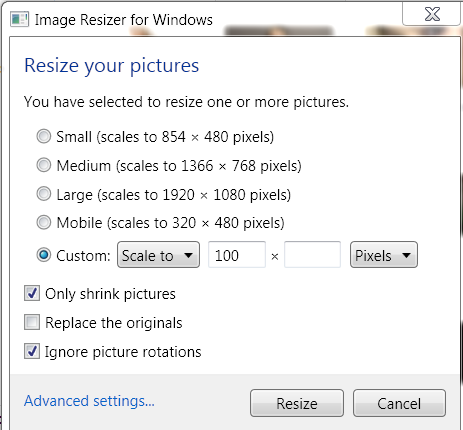 Resize any image by right-clicking
 Judiciary Test App- Best FREE online PCSJ Mock Test Series in Hindi
 How to remove Tags from multiple photos on Facebook – Easiest way
 Watch IPL 2013 Live Online – IPL 6 Free Live Streaming
 Download Windows 10 Latest Build Free Technical Preview ISO File (Official Link)